


Cleanup: Phone Storage Cleaner review
 Analysis by GetAllApps
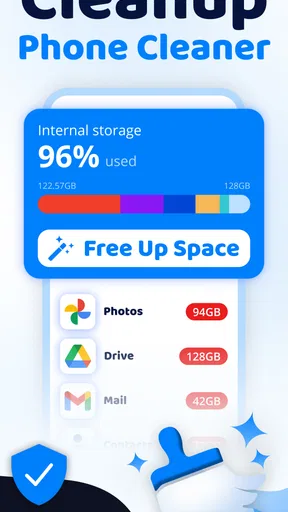
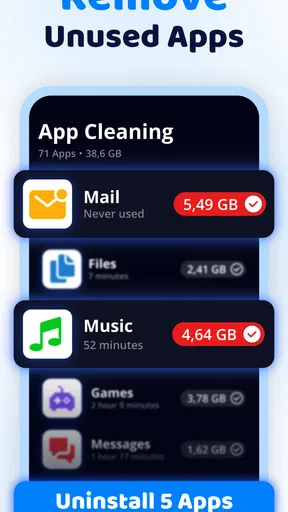
I judge a phone cleaner by whether it helps me make a sensible decision about what to remove, not by how dramatic its storage warnings look. Cleanup: Phone Storage Cleaner is a free Android tools app from Deep Flow Apps that focuses on clearing unwanted files, finding duplicate photos, and managing memory and storage. Its appeal is straightforward: it brings several common cleanup tasks together, so I can start with one place to review a crowded phone rather than hunting through separate menus.
That convenience has a boundary. A cleaner can help me spot candidates for removal, but it cannot know which old photo or file matters to me. I would treat Cleanup as a practical assistant for reviewing space, not as permission to delete everything it flags. If you value control over your files and are willing to check suggestions before acting, that distinction makes the app more useful—and safer—than a one-tap promise of a magically empty phone.
What free access gives you—and where the value question begins
The app is free to install, which makes it easy to try before deciding whether it belongs in my regular routine. It also offers in-app purchases priced from $6.99 to $39.99 per item. Those figures describe the range of listed purchase options, not a single mandatory fee. I would start with the free experience and only consider paying if I found a specific paid option that addressed a recurring problem for me.
That is the most useful way to think about the cost: free access lowers the risk of trying it, while paid value depends on what you personally need. A person who only wants an occasional review of duplicate images may have little reason to spend anything. Someone who regularly runs out of room and prefers a dedicated cleaner may see more value, provided the paid option clearly improves the tasks they actually use. I would not pay simply because a phone reports that storage is getting low.
The app has a 4.4 average from around 379,000 ratings, with roughly 7,600 written reviews, and has passed 10 million installs. Those figures suggest that many Android users have tried it, but popularity does not tell me whether its suggestions fit my own habits. Cleanup is rated for Everyone, is currently at version 1.4.7, and requires Android 11 or later, so an older device may not be eligible to install it.
What the cleaner is trying to solve
Cleanup is built around a familiar phone problem: useful space gets harder to find as photos, files, and other stored items accumulate. Its core purpose is to help identify junk and duplicate pictures, while also presenting itself as a way to optimize memory and storage. In practical terms, I would approach those jobs separately. Finding a duplicate is a review task; deciding what can safely go is a personal choice.
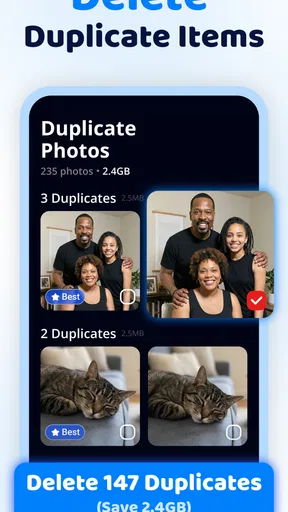
The duplicate-photo angle is especially relevant to people who take several versions of the same shot, save images from chats, or repeatedly capture a scene while trying to get one sharp picture. Instead of manually scrolling through a large library, a cleaner can make the review process more focused. The benefit is not that every similar-looking image is disposable; it is that a shortlist can be easier to inspect than an entire camera roll.
There is also a useful distinction between storage and memory. When I am trying to make room for more photos or an app update, storage is the problem to examine. When an app feels sluggish, deleting files may not be the right fix, and a cleaner’s memory-related language should not be read as a promise that every performance issue will disappear. I would use Cleanup for its cleanup-oriented tasks, then troubleshoot persistent slowdowns separately.
A safer workflow than tapping through every suggestion
My first practical tip would be to work in small batches. I would review one group of proposed cleanup items, inspect what it contains, and remove only what I recognize as unnecessary. Then I would check available space again before moving on. This makes it easier to notice if a category is less useful than expected and reduces the chance of treating a broad recommendation as a blanket instruction.
For photos, I would compare candidates at full attention rather than choosing by thumbnail alone. Two images can look almost identical in a grid while differing in focus, expression, crop, or who appears in the background. A sensible routine is to keep the clearest or most meaningful version, then leave borderline cases untouched. This is particularly important for family pictures, receipts, travel memories, and anything that may be difficult to recreate.
A second useful habit is to clean around a real need rather than chasing a perfect-looking storage screen. If I need room for a trip’s photos, I can review duplicate images and expendable files before leaving, then stop once I have enough space for the task. That avoids turning maintenance into an endless cycle of deleting more just because a cleaner has found another candidate.
I would also avoid making Cleanup the only place where I manage important files. Before a large cleanup, I would make sure anything irreplaceable is backed up or otherwise safely retained. This is not a special claim about the app; it is a sound precaution whenever a tool can lead to deletion. A cleaner is most helpful when it reduces the work of reviewing clutter without replacing my judgement about what deserves to stay.
Where it fits beside built-in storage tools
The usual alternative is to use the storage controls already present on an Android phone and inspect photos manually. Built-in tools can be a better choice if I only need a quick look at what is taking space or prefer not to add another utility. They are also the more comfortable option for someone who wants to make every decision directly, even if that means more scrolling and sorting.
Cleanup makes more sense when duplicate-photo review and general cleanup are the tasks I want to bring together. Its role is less compelling if my storage problem comes from one large app, downloaded media I already know about, or files I want to organize carefully by hand. In those cases, going straight to the relevant app or Android’s own storage controls may be faster and clearer than running a broader cleanup workflow.
I would be cautious about interpreting a “memory” benefit as a reason to close apps or expect a lasting speed boost. Modern phones manage active apps in ways that do not always improve when a cleaner intervenes. If the phone is nearly full, removing items I truly do not need is a more concrete goal than trying to optimize every background process. That focus helps keep expectations realistic.
The tradeoffs that matter before installing
The main tradeoff is convenience versus control. A dedicated cleaner can make a large photo library less tedious to review, but any automated grouping may place valuable images beside redundant ones. My advice is to treat recommendations as prompts for inspection, not as decisions already made on your behalf. If the thought of reviewing suggested files feels like more work than sorting them yourself, the app may not suit your style.
Another consideration is whether the app solves a recurring problem. If I only need to reclaim space once, a one-off pass through Android’s storage settings could be enough. If clutter returns because I frequently save and capture images, a dedicated tool may be more convenient as part of a regular check-in. I would still keep the routine occasional and purposeful rather than cleaning on a fixed schedule without a reason.
The price range for in-app purchases makes it worth checking what an option actually covers before buying. I would compare its stated benefit with the task I came to solve, and I would not assume that a paid tier is necessary to get basic value from trying the app. If the free experience already helps me locate unwanted items, paying may add little for an occasional user. For a frequent user, the purchase only makes sense if its terms and benefits feel clear and relevant.
There is a practical device limitation, too: the minimum requirement is Android 11. That makes the app unsuitable for a phone running an earlier version, regardless of how useful its cleanup approach sounds. The Everyone content rating makes it broadly appropriate by age classification, but it does not change the need for careful handling of personal files.
Who is likely to get the most from it
I can see Cleanup being useful for someone whose photo collection has become difficult to navigate and who wants help spotting duplicates without manually inspecting every image in sequence. It also suits a user who prefers a focused cleanup tool and is comfortable reviewing suggestions before removing anything. The strongest case is not “my phone must be optimized at all times,” but “I repeatedly accumulate clutter and want a more manageable way to inspect it.”
Consider a realistic example: after a weekend away, I may have several near-identical shots of the same view, along with images saved from a group chat. Before taking more photos, I could use a cleanup session to find likely duplicates, compare them, and keep the best versions. I would then leave personal or uncertain items alone and check whether I have freed enough room for the next few days. That is a focused use, not a reason to erase whole categories indiscriminately.
I would skip it if I rarely run short of space, already manage photos comfortably, or want a tool that automatically makes every storage decision. It is also not the right answer when the cause of a slow phone is unclear or when I need detailed file organization rather than cleanup assistance. In those situations, native settings or the specific app holding the data may offer a more direct route.
My buy-or-skip verdict
I would try Cleanup: Phone Storage Cleaner if I were on Android 11 or later and regularly needed help reviewing duplicate photos or accumulated clutter. The free starting point is a reasonable way to decide whether its approach suits me, while the in-app purchase range gives me a reason to examine paid options carefully rather than assuming they are essential. Its scale of adoption is reassuring as context, but my decision would still come down to whether the app saves me time without making deletion feel automatic.
My recommendation is a measured one: use it as a review aid, keep valuable files protected, and buy only when a clearly understood paid benefit matches a repeated need. If built-in storage controls already handle your occasional cleanup, you can skip another app without missing a necessity. If duplicate-heavy photo clutter is a recurring annoyance, Cleanup is a plausible tool to try—but the best result comes from your own careful choices, not from clearing everything it identifies.
Pros and cons
Pros
- Quickly identifies large files that may be taking up valuable storage space.
- Duplicate photo detection can help reduce clutter in the gallery.
- A clear interface makes storage cleanup easy to understand.
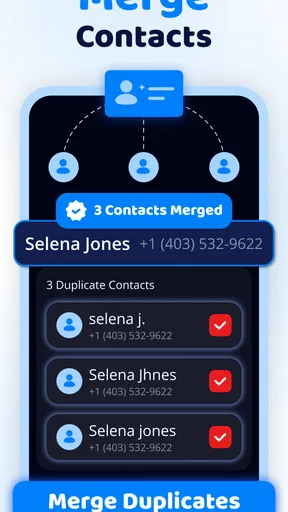
- Contact cleanup tools can help organize an overcrowded address book.
- Reviewing suggested items before deletion gives users control over cleanup.
Cons
- Some cleanup features may require a paid subscription.
- Storage scans can take time on devices with extensive photo libraries.
- Automated suggestions may flag files users want to keep.
- Results depend on the app's access to photos and other device data.
- Removing files does not necessarily improve phone speed or battery life.


